
Best AI Video Tools for Content Creators in 2026 (Free & Paid Tools Compared)
Introduction
Best AI video tools for content creators are transforming how videos are planned, edited, and published. Whether you’re a YouTuber, affiliate marketer, freelancer, agency owner, or small business, AI-powered video software can dramatically reduce editing time while helping you create more engaging content.
Creating high-quality videos used to require expensive software and hours of manual editing. Today, AI can automatically generate captions, detect the best moments in a video, remove filler words, resize content for different social media platforms, and even turn long-form videos into viral short clips within minutes.
The challenge isn’t finding an AI video tool—it’s choosing the right one.
Some platforms specialise in repurposing long-form content, while others focus on editing, subtitles, talking-head videos, or complete AI-assisted production.
In this guide, we’ll compare the best AI video tools for content creators in 2026, including both free and paid options, to help you choose the platform that best fits your workflow and budget.
Why Use AI Video Tools?
Video content continues to dominate platforms like YouTube, TikTok, Instagram Reels, LinkedIn, and Facebook. However, editing videos manually can quickly become time-consuming, especially if you’re publishing content consistently.
AI video tools help creators by:
- Automatically creating short clips from long videos
- Generating captions and subtitles
- Detecting viral moments
- Removing silence and filler words
- Resizing videos for multiple platforms
- Improving editing speed
- Saving hours every week
Whether you’re building a personal brand or growing a business, AI tools allow you to focus more on creating content and less on repetitive editing tasks.
👉 Related Read: Best Marketing Automation Tools for Small Businesses in 2026 (Top Platforms Compared)
Best AI Video Tools for Content Creators in 2026
| Tool | Best For | Free Plan/Trial | AI Features | Starting Price |
|---|---|---|---|---|
| Klap | Repurposing long videos into Shorts | Free Trial | AI clipping, captions, auto reframing | $29/month |
| Opus Clip | Viral short-form content | Free Plan | AI highlights, captions, reframing | $15/month |
| Descript | Podcast & video editing | Free Plan | Text-based editing, AI voice, transcription | $24/month |
| Captions | Talking-head videos | Free Plan | AI captions, eye contact correction | $24.99/month |
| VEED AI | Browser-based editing | Free Plan | AI editing, subtitles, avatars | $20/month |
| Pictory AI | Text-to-video & blog-to-video | Free Trial | AI summarisation, voiceover, visuals | $29/month |
>>> Pricing mentioned above is based on publicly available plans at the time of writing and may change. Visit the provider’s website for the latest pricing information.
1. KLAP — Best Overall AI Video Tool for Repurposing Content
If your goal is to turn long-form YouTube videos, webinars, podcasts, or interviews into engaging short-form videos, KLAP is one of the best AI video tools available today.
Instead of manually editing every clip, KLAP uses artificial intelligence to identify the most engaging moments from your videos and automatically creates vertical content ready for platforms like TikTok, Instagram Reels, and YouTube Shorts.
For content creators publishing regularly, this can save hours of editing every week.
Key Features:
- AI automatically identifies viral moments
- One-click conversion from landscape to vertical video
- Auto-generated captions
- AI speaker tracking
- Automatic reframing
- Optimised exports for TikTok, Reels, and Shorts
- Clean and beginner-friendly interface
Pricing:
- Free trial available
- Paid plans starts from $29/month
Best For:
- YouTubers
- Affiliate marketers
- Coaches
- Educators
- Podcasters
- Agencies
- Businesses creating regular video content
Pros:
✔ Extremely fast video repurposing
✔ Excellent AI clipping accuracy
✔ Automatic captions
✔ Great output quality
✔ Saves significant editing time
Cons:
✘ Designed primarily for repurposing existing videos rather than full video editing
✘ Advanced usage requires a paid subscription
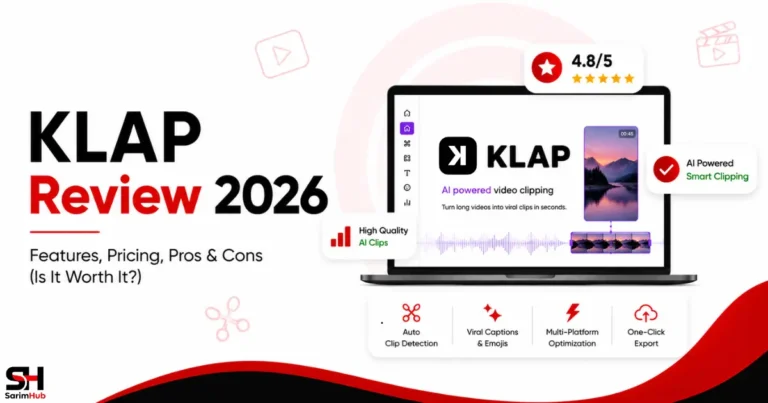
👉 Related Read: KLAP Review 2026: Features, Pricing, Pros & Cons (Is It Worth It?)
Get Started with KLAP
KLAP stands out because it solves one of the biggest challenges content creators face—turning one long video into multiple pieces of content for different social media platforms.
For anyone publishing videos consistently, it can become one of the biggest time-saving tools in your workflow.
🎁 Exclusive SarimHub Offer
Get 30% off your first payment when you sign up for KLAP.
Use promo code: SARIMHUB
2. OpusClip — Best for Viral Short Videos
Opus Clip has become one of the most popular AI-powered video repurposing platforms for creators looking to maximise the reach of their long-form content.
Using AI, Opus Clip automatically detects the most engaging moments in a video and turns them into short, shareable clips with captions and smart framing.
It’s particularly popular among YouTubers and podcast creators who want to publish consistently across multiple social media platforms.
Key Features:
- AI viral clip detection
- Automatic captions
- AI confidence scoring
- Smart reframing
- Social media optimisation
- Multiple export formats
Pricing:
- Free plan available
- Paid plans starts from $15/month
Best For:
- YouTubers
- Podcasters
- Coaches
- Social media creators
Pros:
✔ Fast AI clipping
✔ Good caption generation
✔ Beginner-friendly
✔ Great social media integrations
Cons:
✘ Free plan includes usage limitations
✘ Premium features require upgrading
Get Started with OpusClip
OpusClip helps creators transform long-form videos into engaging short clips using AI, making it easier to repurpose content for platforms like TikTok, Instagram Reels, YouTube Shorts, and Facebook.
With automatic clipping, captions, and AI-powered editing, it’s an excellent solution for anyone looking to create more content in less time.
3. Descript — Best AI Video Editor for Beginners
Descript approaches video editing differently from traditional software.
Instead of editing through timelines, you edit your video by editing text.
When you delete words from the transcript, Descript automatically edits the video to match.
This makes it one of the easiest AI video editing platforms for beginners, especially creators producing tutorials, podcasts, interviews, and educational videos.
Key Features:
- Text-based video editing
- AI transcription
- AI voice cloning
- Screen recording
- Automatic captions
- Multi-track editing
- Podcast editing tools
Pricing:
- Free plan available
- Paid plans starts from $24/month
Best For:
- Content creators
- Educators
- Podcasters
- Online course creators
- Small businesses
Pros:
✔ Extremely beginner-friendly
✔ Excellent transcription quality
✔ Powerful AI editing
✔ Great for podcasts and tutorials
Cons:
✘ Can feel different if you’re used to traditional video editors
✘ Some advanced AI features require paid plans
4. Captions — Best for Talking-Head Videos
Captions has quickly become one of the most popular AI video tools for creators who regularly record themselves speaking on camera.
The platform goes far beyond adding subtitles. It uses AI to improve eye contact, generate captions automatically, remove filler words, and enhance the overall viewing experience.
For creators producing educational content, social media videos, or personal brand content, Captions can significantly speed up the editing process.
Key Features:
- AI-generated captions
- Eye contact correction
- AI script assistance
- Automatic video editing
- Noise reduction
- Background enhancements
- Social media export options
Pricing:
- Free plan available
- Paid plans starts from $24.99/month
Best For:
- YouTubers
- Coaches
- Educators
- Personal brands
- Business owners
Pros:
✔ Excellent caption quality
✔ Easy-to-use interface
✔ Great AI enhancements
✔ Saves editing time
Cons:
✘ Some premium AI tools require a subscription
✘ Best suited for talking-head style content
5. VEED AI — Best Browser-Based AI Video Editor
VEED AI is an online video editor designed for creators who prefer editing directly in their browser without installing desktop software.
It combines traditional editing features with AI-powered tools, making it suitable for beginners and businesses creating videos for websites and social media.
Its clean interface and collaborative features also make it a good choice for marketing teams.
Key Features:
- Browser-based editing
- AI subtitles
- AI avatars
- AI voice generation
- Screen recording
- Video templates
- Team collaboration
Pricing:
- Free plan available
- Paid plans starts from $20/month
Best For:
- Small businesses
- Agencies
- Freelancers
- Marketing teams
- Content creators
Pros:
✔ No software installation
✔ Beginner friendly
✔ Wide range of AI features
✔ Great for collaborative projects
Cons:
✘ Free version has limitations
✘ Some advanced features require higher-tier plans
👉 Related Read: Best AI Tools for Affiliate Marketers in 2026 (Free & Paid)
6. Pictory AI — Best for Turning Articles into Videos
Pictory AI is one of the most useful AI video tools for bloggers and affiliate marketers.
Instead of starting with a video, Pictory allows you to turn blog posts, scripts, or written content into engaging videos using AI-generated visuals, stock footage, subtitles, and voiceovers.
For creators already publishing written content, this can be an excellent way to repurpose articles into videos for YouTube and social media.
Key Features:
- Blog-to-video conversion
- Script-to-video generation
- AI voiceovers
- Automatic subtitles
- Large stock media library
- Easy editing interface
Pricing:
- Free trial available
- Paid plans starts from $29/month
Best For:
- Bloggers
- Affiliate marketers
- YouTubers
- Small businesses
- Content repurposing
Pros:
✔ Excellent for repurposing written content
✔ Beginner friendly
✔ Saves hours of video production
✔ High-quality stock media
Cons:
✘ Less control than professional editing software
✘ Best suited for informational videos
Get Started with Pictory
If you’re looking for an AI video creation platform that transforms scripts, blog posts, and long-form content into professional videos with realistic AI voiceovers, stock media, and automatic captions, Pictory is our top recommendation for creators, marketers, educators, and businesses.
Which AI Video Tool Should You Choose?
The right AI video tool depends on the type of content you create.
Choose KLAP if...
- You publish YouTube videos regularly
- You want to create Shorts, Reels, and TikToks automatically
- You want to save hours editing long-form content
Choose Opus Clip if...
- Your priority is creating viral short-form clips
- You publish podcasts or interviews
Choose Descript if...
- You record tutorials or podcasts
- You prefer editing video like editing a document
Choose Captions if...
- You create talking-head videos
- You want professional captions and AI enhancements
Choose VEED AI if...
- You want an all-in-one browser-based editor
- You work with clients or a team
Choose Pictory AI if...
- You already write blog posts
- You want to convert written content into engaging videos
No matter which platform you choose, AI video tools can significantly reduce editing time while helping you publish more content consistently.
Final Thoughts
The demand for video content continues to grow across every major platform, making AI video tools more valuable than ever.
Whether you’re creating YouTube videos, Instagram Reels, TikTok clips, online courses, or marketing videos, the right software can save hours of editing while improving the quality of your content.
If you’re just getting started, choose a tool that best fits your workflow instead of trying to learn multiple platforms at once.
For creators looking to repurpose long-form videos into engaging short-form content, KLAP, OpusClip and Pictory stand out as excellent choices. Their AI-powered editing, automatic clipping, captions, and social media optimisation make it easier to create high-quality content consistently while saving valuable time.
Continue Your Journey with SarimHub
Looking to build a complete online business instead of just choosing one tool?
👉 Download the free “Start Your First Online Business in 7 Days (Free Blueprint)” from our Start Here page and follow a simple step-by-step roadmap.
👉 Explore our Tools & Resources page to discover recommended AI tools, SaaS platforms, and business software that can help you grow your business more efficiently.
● Frequently Asked Questions (FAQs)
What are AI video tools?
AI video tools use artificial intelligence to automate tasks such as video editing, caption generation, clipping, transcription, reframing, and content creation, helping creators produce videos faster.
Which AI video tool is best for beginners?
For beginners, KLAP, Descript, and VEED AI offer intuitive interfaces and AI-powered features that make video creation much easier.
Can AI video tools create YouTube Shorts automatically?
Yes. Platforms like KLAP and Opus Clip automatically identify engaging moments from long-form videos and convert them into YouTube Shorts, Instagram Reels, and TikTok videos.
Are there free AI video tools?
Yes. Several tools in this guide, including Opus Clip, Descript, Captions, and VEED AI, offer free plans or free trials. Premium plans unlock additional AI features and export options.
Which AI video tool is best for affiliate marketers?
For affiliate marketers, KLAP and Pictory AI are excellent choices. KLAP helps repurpose long-form videos into short clips for social media, while Pictory AI converts blog posts and scripts into engaging videos.

11 Comments