
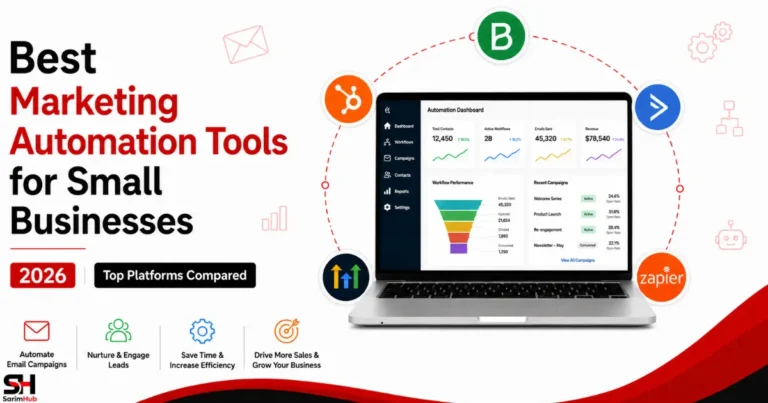
Best Marketing Automation Tools for Small Businesses in 2026 (Top Platforms Compared)
Introduction
Running a small business often means managing several moving parts at once — attracting leads, following up with prospects, sending emails, nurturing customer relationships, and keeping marketing campaigns moving.
Doing all of that manually becomes difficult as the business grows.
That’s where marketing automation software can help.
The best marketing automation tools for small businesses can automate repetitive tasks, organise customer journeys, improve follow-up, and help teams manage marketing more consistently without adding unnecessary manual work.
Depending on the platform, marketing automation can include:
- Email sequences and automated follow-ups
- Lead capture and nurturing
- Customer segmentation
- CRM automation
- Sales funnels and landing pages
- Workflow automation
- SMS and multichannel communication
- Campaign tracking and reporting
But the best platform isn’t necessarily the one with the longest feature list.
A small business primarily needing email automation may be better served by a focused email marketing platform, while a business managing leads, sales pipelines, funnels, and customer communication may benefit from a broader all-in-one system.
That makes the real question:
Which marketing automation platform matches the way your business actually operates?
In this guide, we’ll compare some of the best marketing automation tools for small businesses in 2026, including their key strengths, limitations, ideal users, and the situations where each platform makes the most sense.
👉 Related Read: Best CRM Software for Small Businesses in 2026 (Simple & Powerful Tools Compared)
What Is Marketing Automation?
Marketing automation is the use of software to automatically handle repetitive marketing tasks and trigger actions based on customer behaviour.
Instead of manually following up with every lead or sending every email individually, businesses can create workflows that respond when particular actions or conditions occur.
Marketing automation can help with:
- Sending welcome emails and follow-up sequences
- Capturing and nurturing leads
- Segmenting contacts based on behaviour or interests
- Managing customer information
- Triggering sales and marketing actions
- Moving leads through funnels or pipelines
- Sending SMS or other customer communications
- Tracking engagement across campaigns
A Simple Marketing Automation Example
Imagine someone downloads a free guide from your website.
Instead of manually handling what happens next, an automation could:
Visitor downloads the guide
↓
Contact is added to the appropriate email list
↓
Welcome email is sent automatically
↓
Useful follow-up content is delivered over several days
↓
Contact behaviour is tracked
↓
Relevant next steps are triggered based on their actions
The exact workflow will depend on the business and the software being used, but the principle remains the same:
Automation handles predictable repetitive actions while the business remains in control of the strategy behind them.
That distinction matters. Good marketing automation isn’t about removing people from marketing — it’s about reducing repetitive manual work so people can spend more time on decisions, relationships, content, and growth.
👉 Related Read: Email Marketing for Beginners in 2026 (How to Build an Email List That Actually Makes Money)
Why Small Businesses Need Marketing Automation Tools
Small businesses often operate with limited time, smaller teams, and competing priorities. Marketing automation can help by turning repetitive marketing activities into consistent systems that continue working without requiring constant manual attention.
That doesn’t mean every small business needs complicated automation. The value comes from automating the right tasks at the right stage of growth.
Save Time on Repetitive Tasks
Sending welcome emails, following up with leads, updating contact information, and triggering routine communications can consume hours when handled manually.
Automation allows these predictable actions to happen consistently while business owners focus on work that requires human judgement, creativity, or direct customer interaction.
Improve Lead Management
Generating leads is only useful if those leads are properly followed up.
Marketing automation can help businesses capture contacts, organise them into relevant segments, track engagement, and trigger appropriate follow-ups based on what each person does.
This reduces the chance of potentially valuable leads simply disappearing because nobody followed up at the right time.
Create More Relevant Customer Experiences
Automation doesn’t have to mean sending the same message to everyone.
Businesses can segment contacts according to interests, behaviour, purchase history, or stage in the customer journey and use those signals to deliver more relevant communication.
The result can be a more organised customer experience without manually managing every interaction.
Build Consistent Marketing Processes
Without systems, marketing can easily become inconsistent — particularly when a small team gets busy.
Automated workflows can create repeatable processes for activities such as:
- Welcoming new subscribers
- Nurturing leads
- Following up after enquiries
- Re-engaging inactive contacts
- Supporting customers after a purchase
- Moving qualified leads toward the next stage
The business still determines the strategy. Automation simply helps execute that strategy consistently.
Support Growth Without Multiplying Manual Work
As a business attracts more leads and customers, manually managing every interaction becomes increasingly difficult.
Automation can allow the same underlying workflows to support a larger audience without requiring the workload to increase at exactly the same rate.
However, automation should solve an existing operational need — not create unnecessary complexity simply because more features are available.
🏆 The best marketing automation system is one that removes useful repetitive work while keeping the customer journey relevant and manageable.
Key Features to Look For in Marketing Automation Software
Marketing automation platforms vary considerably in scope. Some focus primarily on email, while others combine CRM, funnels, sales pipelines, messaging, and broader business automation.
When comparing platforms, small businesses should focus on the capabilities they will actually use, rather than simply choosing the software with the longest feature list.
Email Automation
Email remains one of the most common uses of marketing automation.
Look for the ability to create automated welcome sequences, follow-up campaigns, nurture sequences, behavioural triggers, and other workflows that send messages when specific conditions are met.
The important question isn’t simply whether a platform can send emails — it’s how much control you have over when, why, and to whom those emails are sent.
Workflow Automation
A strong automation platform should allow different actions and conditions to work together.
For example:
New lead submits a form
↓
Contact receives the appropriate tag
↓
Welcome sequence begins
↓
Engagement is monitored
↓
Qualified lead triggers the next action
More advanced platforms may provide visual workflow builders with branches, conditions, delays, goals, and multiple communication channels.
CRM Integration
Marketing automation becomes more useful when customer information and marketing activity can work together.
A built-in CRM — or strong integration with an external CRM — can help businesses track contacts, conversations, pipeline stages, and marketing engagement without constantly transferring information between disconnected systems.
Lead Capture Tools
Forms, landing pages, pop-ups, surveys, and funnels can help turn website visitors into identifiable leads.
Having these tools connected directly to the automation system means a new contact can immediately enter the appropriate workflow instead of waiting for someone to process the lead manually.
Segmentation and Personalisation
Not every subscriber or lead should receive identical communication.
Useful automation platforms allow businesses to organise contacts using information such as:
- Interests
- Behaviour
- Previous interactions
- Tags
- Purchases
- Engagement
- Customer or pipeline stage
Better segmentation allows automated communication to remain relevant rather than becoming generic mass messaging.
Multichannel Automation
Email may be enough for some businesses, while others may need SMS, social messaging, website chat, or other communication channels.
The right choice depends on how your customers actually interact with your business.
Don’t pay for multichannel automation simply because it’s available if your business only needs email.
Reporting and Analytics
Automation should provide enough visibility to understand what is happening inside your campaigns.
Useful reporting may include email engagement, conversions, workflow performance, lead activity, funnel performance, or sales outcomes depending on the platform.
Analytics matter because automation shouldn’t simply run — you should be able to evaluate whether it’s working.
Integrations
No marketing platform operates completely in isolation.
Consider whether the software connects with the other systems your business relies on, such as your website, ecommerce platform, CRM, payment processor, scheduling software, or other marketing tools.
Strong integrations can prevent automation from creating another disconnected software silo.
Ease of Use and Scalability
Powerful automation isn’t particularly useful if your team cannot realistically manage it.
A small business should consider both:
What do we need today?
↓
What are we reasonably likely to need as we grow?
The ideal platform provides enough room to expand without forcing you to manage enterprise-level complexity before your business requires it.
🏆 The best feature set isn’t the biggest one — it’s the one that matches your actual marketing workflow.
Best Marketing Automation Tools for Small Businesses in 2026
Choosing the best marketing automation tool isn’t about finding the platform with the longest feature list. It’s about finding the system that matches how your business attracts leads, communicates with customers, and manages follow-up.
The platforms below take different approaches to automation. Some focus heavily on email marketing, while others combine CRM, sales funnels, lead management, customer journeys, and broader business automation.
We’ll look at what each platform does best, its key strengths and limitations, and the type of small business it is most likely to suit.
🏆 There is no universal winner — the best marketing automation tool is the one that fits the way your business actually operates.
1. HighLevel — Best All-in-One Marketing Automation Platform
HighLevel is an all-in-one marketing and customer management platform designed for businesses, marketers, and agencies that want to bring multiple parts of their workflow into one system.
Rather than focusing only on email automation, HighLevel combines CRM, lead management, sales funnels, email and SMS marketing, workflow automation, appointment scheduling, landing pages, and customer communication.
This makes it particularly useful for businesses that have outgrown a collection of disconnected tools and want more of their marketing and sales activity managed from one platform.
Key Features
- CRM and pipeline management
- Visual workflow automation
- Email and SMS marketing
- Sales funnels and landing pages
- Forms and lead capture
- Appointment scheduling
- Lead tracking and follow-up
- Customer communication tools
Best For
HighLevel is particularly suited to:
- Marketing agencies managing multiple clients
- Businesses wanting CRM and marketing automation together
- Service businesses that rely heavily on lead follow-up
- Businesses wanting funnels, scheduling, communication, and automation in one ecosystem
- Growing teams trying to reduce the number of separate marketing tools they manage
Pros
- Extensive automation capabilities
- Combines CRM, funnels, communication, and marketing tools
- Strong lead-management and follow-up functionality
- Useful for agencies and multi-client workflows
- Can replace several standalone tools for the right business
Cons
- Broader functionality means a steeper learning curve
- May be more platform than a very small business needs
- Businesses primarily needing simple email automation may prefer a more focused tool
👉 Related Read: GoHighLevel Review 2026: Can It Replace ClickFunnels, HubSpot & ActiveCampaign?
Get Started with HighLevel
HighLevel is most compelling when its all-in-one approach can replace several disconnected tools in your existing marketing and sales workflow.
If your business needs CRM, automation, funnels, lead management, and customer communication in one platform, you can explore HighLevel through its available trial and decide whether the broader system fits the way you work.
2. ActiveCampaign — Best for Advanced Email Automation
ActiveCampaign is a marketing automation platform built around sophisticated email marketing, customer journeys, segmentation, CRM functionality, and behaviour-based automation.
Its strength is the level of control businesses can have over how contacts move through automated workflows. Instead of relying only on basic scheduled email sequences, businesses can create automations triggered by customer actions, attributes, engagement, and other conditions.
That makes ActiveCampaign particularly attractive to businesses that want deeper automation without necessarily adopting a broader all-in-one business platform.
Key Features
- Email marketing and automation
- Visual automation builder
- Advanced audience segmentation
- Behaviour-based triggers
- CRM and sales automation
- Lead scoring
- Forms and lead capture
- Personalised customer journeys
- Reporting and campaign analytics
- Integrations with other business tools
Best For
ActiveCampaign is particularly suited to:
- Small businesses with established email marketing
- Businesses wanting sophisticated customer journeys
- Ecommerce and service businesses using behavioural automation
- Teams that need advanced segmentation and personalisation
- Growing businesses ready to move beyond basic email sequences
Pros
- Powerful visual automation capabilities
- Advanced segmentation and targeting
- Strong email marketing functionality
- Supports complex customer journeys
- Combines marketing automation with CRM capabilities
- Large integration ecosystem
Cons
- Can take time to learn for complete beginners
- Advanced automation requires more setup and planning
- May be unnecessary for businesses with very simple email needs
- Costs can increase as contact lists and requirements grow
👉 Related Read: ActiveCampaign Review 2026: Features, Pricing, Pros & Cons (Is It Worth It?)
👉 Related Read: ActiveCampaign vs GetResponse (2026): Which Email Marketing Platform Is Better?
3. HubSpot — Best Free CRM and Marketing Automation Platform
HubSpot combines CRM, marketing automation, email marketing, sales, customer service, content, and other business tools within a connected platform.
For small businesses, one of its biggest attractions is the ability to begin with HubSpot’s free CRM and expand into more advanced marketing, sales, and customer-management functionality as requirements grow.
Rather than forcing a business to adopt an advanced automation system immediately, HubSpot provides an accessible starting point while leaving room for a much broader customer platform later.
Key Features
- Free CRM
- Contact and lead management
- Email marketing
- Marketing automation
- Forms and lead capture
- Sales pipeline management
- Customer segmentation
- Reporting and analytics
- Landing pages
- Marketing, sales, and service tools
Best For
HubSpot is particularly suited to:
- Small businesses starting with CRM and automation
- Businesses wanting a free entry point
- Teams that want marketing and sales data connected
- Growing businesses that may need more advanced functionality later
- Businesses wanting CRM, marketing, sales, and customer service within one ecosystem
Pros
- Strong free CRM foundation
- Broad collection of connected business tools
- Beginner-friendly entry point
- Marketing and sales functionality can work together
- Provides room for businesses to expand into more advanced capabilities
Cons
- Advanced functionality can become considerably more expensive
- The wider HubSpot ecosystem may be more than very small businesses need
- Some sophisticated automation and reporting capabilities require higher-tier plans
👉 Related Read: HubSpot Review 2026: Features, Pricing, Pros & Cons (Is It Worth It?)
 Explore Visual
→
Explore Visual
→
HubSpot Visual Review 2026
Explore HubSpot through a visual guide designed for faster understanding and decision-making.
Get Started with HubSpot
HubSpot can be a particularly useful starting point for small businesses that want to organise customer relationships before investing in a more advanced marketing system.
You can begin with HubSpot’s available free tools and explore its broader marketing, sales, and automation features as your business requirements develop.
Affiliate Disclosure: SarimHub is a HubSpot affiliate and earns a commission if you purchase through our link, at no extra cost to you.
4. Brevo — Best Affordable Marketing Automation Tool
Brevo is an email marketing and customer communication platform that combines email campaigns, marketing automation, contact management, transactional messaging, and other communication tools within one system.
For small businesses, its appeal is that it provides useful automation capabilities without immediately requiring the complexity of a larger all-in-one marketing platform.
It can work particularly well for businesses that primarily need email marketing and customer communication but also want room to build automated workflows as their marketing becomes more sophisticated.
Key Features
- Email marketing campaigns
- Marketing automation workflows
- Contact management
- Audience segmentation
- Forms and lead capture
- Transactional email
- SMS marketing
- CRM functionality
- Reporting and analytics
- Multi-channel customer communication
Best For
Brevo is particularly suited to:
- Small businesses focused on email marketing
- Businesses wanting automation without excessive complexity
- Growing email lists and customer databases
- Businesses using transactional and marketing emails
- Teams wanting several customer communication tools in one platform
Pros
- Accessible for smaller businesses
- Combines email marketing and automation
- Supports transactional communication
- Useful segmentation and contact-management features
- Offers broader communication functionality beyond email
- Provides room to introduce more sophisticated automation gradually
Cons
- Not as comprehensive as broader all-in-one platforms such as HighLevel
- Advanced requirements may eventually call for a more specialised automation platform
- Some functionality depends on the selected plan
👉 Related Read: Brevo Review 2026: Features, Pricing, Pros & Cons (Is It Worth It?)
👉 Related Read: ActiveCampaign vs Brevo (2026): Which Email Marketing Platform Is Better?
👉 Related Read: Best Email Marketing Software for Beginners in 2026 (Free & Paid Tools Compared)
5. Zapier — Best Automation Connector Tool
Zapier is a workflow automation platform designed to connect different apps and services so information and actions can move between them automatically.
Instead of replacing your CRM, email marketing platform, forms, spreadsheets, or other business software, Zapier can act as the automation layer between those tools.
For example, a new lead submitted through a form could automatically be added to a CRM, entered into an email marketing system, recorded in a spreadsheet, and trigger a notification — without someone manually transferring the information between platforms.
Key Features
- App-to-app workflow automation
- Multi-step automated workflows
- Triggers and automated actions
- Conditional workflow logic
- Data transfer between connected apps
- Scheduling and recurring automation
- Forms and data collection
- AI-assisted automation capabilities
- Large ecosystem of app integrations
- Workflow management tools
Best For
Zapier is particularly suited to:
- Small businesses using several separate software tools
- Teams wanting to reduce repetitive administrative work
- Businesses that need different apps to exchange information
- Marketers building workflows across multiple platforms
- Businesses wanting automation without custom development
Pros
- Connects a very broad range of business applications
- Can automate repetitive work across otherwise separate tools
- Flexible enough for simple and more complex workflows
- Reduces manual data entry and handoffs
- Allows businesses to keep existing tools rather than replacing their entire software stack
Cons
- It does not replace a dedicated CRM or marketing platform
- Complex workflows can require more planning and maintenance
- Automation usage can become more expensive as requirements increase
- Businesses using an integrated all-in-one platform may have less need for it
👉 Related Read: Best AI Tools for Affiliate Marketers in 2026 (Free & Paid)
Best Marketing Automation Tools for Small Businesses Compared
Each platform approaches marketing automation differently. Some provide a broader CRM and marketing ecosystem, while others specialise in email automation or connecting separate business applications.
| Tool | Best For | CRM | Email Automation | Key Strength |
|---|---|---|---|---|
| HighLevel | All-in-One Marketing & CRM | ✅ | ✅ | Broad business automation |
| ActiveCampaign | Advanced Email Automation | ✅ | ✅ | Customer journeys & segmentation |
| HubSpot | CRM + Scalable Marketing | ✅ | ✅ | Connected CRM ecosystem |
| Brevo | Email & Customer Communication | ✅ | ✅ | Accessible multi-channel marketing |
| Zapier | Connecting Business Apps | ❌ | ❌* | Cross-app workflow automation |
>>> Pricing mentioned above is based on publicly available plans at the time of writing and may change. Visit the provider’s website for the latest pricing information.
*Zapier does not function as a traditional email marketing platform. Instead, it can connect email, CRM, forms, spreadsheets, and other applications to automate actions between them.
🏆 The key difference is not simply which platform has the most features — it is where the automation happens.
How to Choose the Best Marketing Automation Tool for Your Business
The best marketing automation platform depends on what you actually need to automate.
A small business running a few email campaigns has very different requirements from an agency managing multiple clients or a growing company connecting CRM, sales, marketing, and customer communication.
Before choosing a platform, consider the following:
Start With the Problem You Want to Solve
Identify the repetitive work that is currently taking time or causing opportunities to be missed.
This might include:
- Following up with new leads
- Sending email sequences
- Managing customer information
- Moving leads through a sales pipeline
- Booking appointments
- Connecting information between different apps
- Segmenting customers based on behaviour
Automation should solve a genuine workflow problem rather than introduce technology simply because it is available.
Consider How Many Tools You Want to Manage
Some businesses prefer specialised tools for different jobs. Others would rather manage CRM, funnels, email, automation, and customer communication from one platform.
If reducing the number of separate systems is important, an all-in-one platform may make more sense.
If you already have tools you like, connecting them through workflow automation may be the better approach.
Think About Your Current Complexity
Don’t choose software purely for features you might need several years from now.
A simpler platform can be the better choice when your current requirements are straightforward. More advanced automation becomes valuable when your customer journeys, segmentation, sales processes, or team workflows genuinely require it.
Consider Future Growth
Your platform should provide enough room for your marketing processes to develop without forcing you to rebuild everything too quickly.
Look at whether the platform can support additional contacts, workflows, team members, integrations, sales processes, and communication channels as your business grows.
Choose HighLevel If:
You want a broader all-in-one system combining CRM, funnels, lead management, marketing automation, customer communication, and other business tools.
Choose ActiveCampaign If:
Advanced email automation, behavioural triggers, segmentation, and sophisticated customer journeys are your main priorities.
Choose HubSpot If:
You want to begin with CRM and gradually expand into a broader ecosystem of marketing, sales, and customer-service tools.
Choose Brevo If:
Email marketing and customer communication are your primary requirements and you want accessible automation without immediately adopting a larger business platform.
Choose Zapier If:
You already use several business applications and primarily need a way to connect them and automate the movement of information and actions between them.
🏆 The best marketing automation platform isn’t necessarily the one capable of doing the most. It’s the one that removes the right manual work from your business without creating unnecessary complexity.
How Marketing Automation Fits Into an Online Business System
Marketing automation works best when it supports a wider business system rather than operating as an isolated tool.
A simple online business journey might look like this:
Traffic
↓
Website Content
↓
Lead Magnet
↓
Email List
↓
Automation
↓
Customer Relationship
↓
Revenue
Each stage has a different role.
Traffic brings potential customers to your website.
Website content helps answer questions, build trust, and introduce relevant solutions.
Lead magnets give interested visitors a reason to join your email list.
Email marketing creates a direct communication channel with those subscribers.
Marketing automation then helps manage repetitive actions such as delivering resources, sending follow-up emails, segmenting contacts, nurturing leads, and responding to customer behaviour.
The important point is that automation sits inside the customer journey. It should help move people through that journey more consistently — not automate everything simply because the software allows it.
For a small business, even a simple workflow can be valuable:
Visitor downloads a resource
↓
Contact is added to the email list
↓
Welcome email is delivered
↓
Useful follow-up content is sent
↓
Relevant product or service is introduced
↓
Engagement continues based on the subscriber’s actions
You can expand those workflows as your audience and business become more complex. There is no need to build an enormous automation system from day one.
🏆 Start by automating repetitive tasks that already have a clear purpose. Add complexity only when your business genuinely needs it.
Final Thoughts
The best marketing automation tool for your small business is not necessarily the platform with the longest feature list. It is the one that helps you remove repetitive work, manage customer relationships more consistently, and build processes that match the way your business actually operates.
For businesses wanting a broader all-in-one system, HighLevel combines CRM, funnels, communication, and automation within one platform. ActiveCampaign is particularly strong for businesses that need sophisticated email automation and customer journeys, while HubSpot offers an accessible starting point with CRM at the centre of a much larger business ecosystem.
Brevo can suit businesses looking for email marketing and relatively straightforward automation, while Zapier serves a different role by connecting separate applications and automating the movement of information between them.
There is no universal winner because these platforms solve different automation problems.
Start with the processes that currently consume unnecessary time. Automate those first, measure whether the workflow actually helps, and expand only when there is a genuine reason to do so.
🏆 The goal of marketing automation isn’t to automate your entire business. It’s to make the repetitive parts of your business work more efficiently while keeping the important human decisions human.
Continue Your Journey with SarimHub
Marketing automation becomes much more useful when it connects with the other systems supporting your business.
Explore these related SarimHub articles for additional guidance.
👉 Related Read: Best CRM Software for Agencies in 2026 (Top Platforms Compared)
👉 Related Read: Best Lead Generation Tools for Small Businesses in 2026 (Top Tools Compared)
Looking to build a complete online brand instead of just choosing one tool?
👉 Get the free “Hand in Hand – Let’s Build Your Brand” (HHLBYB) workbook and follow a practical step-by-step journey from building your foundation to launching and growing your brand.
👉 Explore our Tools & Resources page to discover recommended AI tools, SaaS platforms, and business software that can help you grow more efficiently.
Our Take
Marketing automation is most valuable when it solves a real operational problem, not when it simply adds more technology to a business.
For smaller businesses that want CRM, funnels, communication, and automation within one broader system, HighLevel is one of the strongest all-in-one options in this comparison.
For businesses where sophisticated email automation and customer journeys are the priority, ActiveCampaign deserves serious consideration. HubSpot is particularly attractive for businesses that want to begin with CRM and potentially expand into a much broader sales, marketing, and service ecosystem over time.
Brevo offers a more approachable route into email marketing and automation, while Zapier is the better fit when the real requirement is connecting different applications rather than replacing them with one platform.
🏆 Our Take: There is no universal winner. Choose the platform according to where you actually need automation, how much complexity your business can realistically manage, and whether you prefer one integrated system or several specialised tools working together.
The best choice is the one that makes your existing processes simpler and more consistent — not the one that gives you the most automation simply because it can.
● Frequently Asked Questions (FAQs)
What is the best marketing automation tool for small businesses in 2026?
There is no single best platform for every business. HighLevel is strong for businesses wanting an all-in-one system, ActiveCampaign focuses heavily on advanced email automation, HubSpot combines CRM with a broader business ecosystem, Brevo offers accessible email automation, and Zapier connects separate applications.
What is marketing automation?
Marketing automation uses software to handle repetitive marketing activities such as sending emails, following up with leads, segmenting contacts, managing customer journeys, and triggering actions based on customer behaviour.
Is marketing automation suitable for small businesses?
Yes. Small businesses can benefit significantly because automation reduces repetitive manual work and helps maintain consistent communication without requiring a large marketing team.
Do I need a CRM to use marketing automation?
Not necessarily. Some marketing automation platforms include their own CRM, while others integrate with external CRM software. The right setup depends on how you manage leads, customers, and sales.
What is the difference between CRM and marketing automation?
CRM software primarily helps manage customer relationships, contacts, leads, and sales activity. Marketing automation focuses on automating repetitive marketing processes and customer journeys. Many modern platforms combine both.
Can beginners use marketing automation tools?
Yes. Beginners can start with simple workflows such as welcome emails, lead-magnet delivery, basic follow-ups, and contact segmentation before moving into more advanced automation.
Is HubSpot good for small business marketing automation?
HubSpot can be a strong option for small businesses that want CRM at the centre of their marketing and sales system. Businesses should compare the features and costs they need as their requirements become more advanced.
Is HighLevel good for marketing automation?
HighLevel is particularly suited to businesses and agencies wanting CRM, funnels, email and SMS communication, lead management, and workflow automation within a broader all-in-one platform.
Is ActiveCampaign good for marketing automation?
ActiveCampaign is a strong option for businesses that prioritise sophisticated email automation, segmentation, personalised customer journeys, and behaviour-based workflows.
Is Brevo good for beginners?
Brevo can suit beginners and small businesses that want email marketing with automation capabilities without immediately adopting a larger all-in-one business platform.
Is Zapier a marketing automation platform?
Not in the same way as HighLevel, ActiveCampaign, HubSpot, or Brevo. Zapier primarily connects different applications so that actions and information can move automatically between them.
Can marketing automation help generate leads?
Marketing automation can support lead generation by helping businesses capture, organise, segment, nurture, and follow up with potential customers. However, businesses still need a source of traffic and a compelling reason for visitors to engage.
Can marketing automation replace employees?
Marketing automation is better used to reduce repetitive work than to replace human judgement. Strategy, relationship building, creative decisions, customer understanding, and many complex interactions still benefit from human involvement.
How much marketing automation should a small business use?
Start with repetitive processes that already have a clear purpose. Add more automation when it solves a genuine operational problem rather than building complicated workflows simply because the software makes them possible.
How do I choose the right marketing automation software?
Identify what you actually want to automate first. Then compare platforms based on required features, integrations, ease of use, scalability, pricing, and whether you prefer an all-in-one system or specialised tools working together.

18 Comments